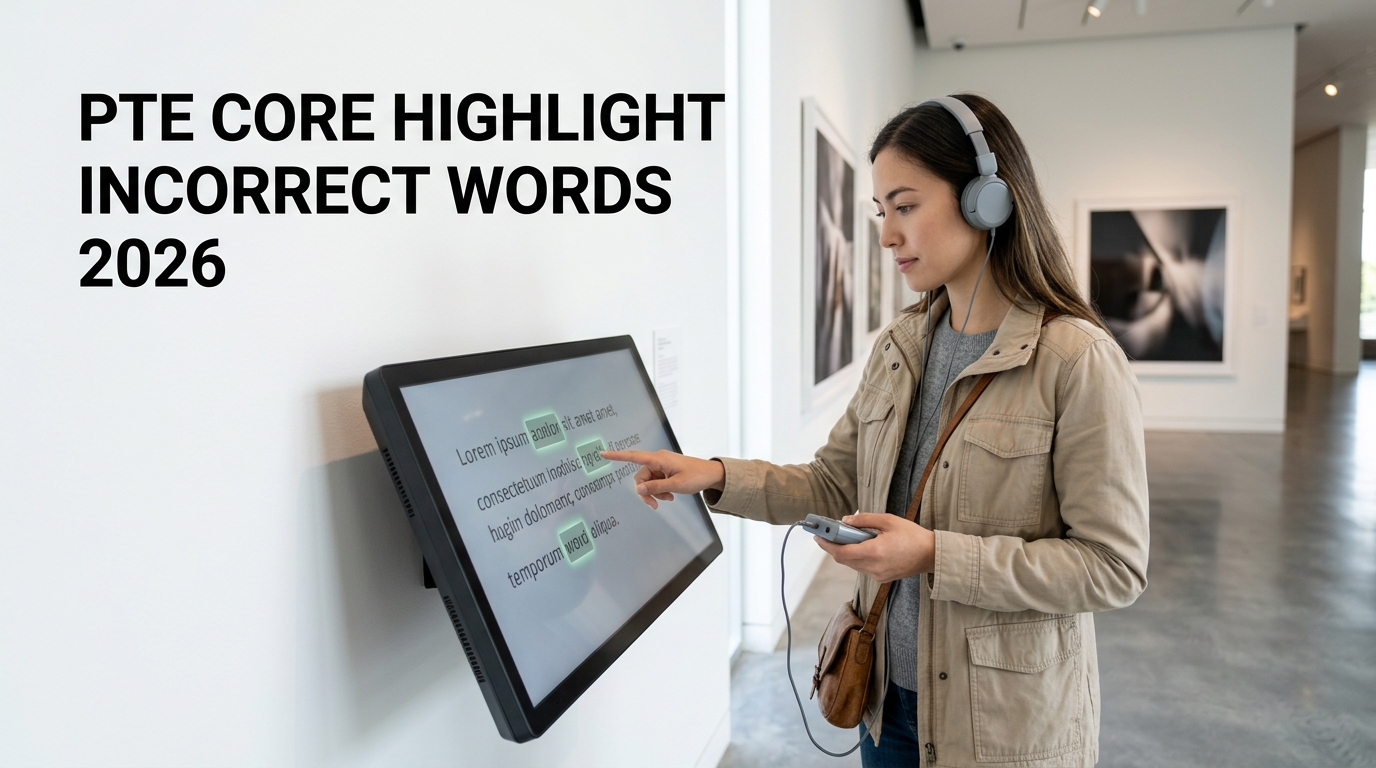
PTE Core Highlight Incorrect Words can be risky because you need to listen to a recording while following a written transcript and identify the words that do not match.
The biggest challenge is negative marking. Selecting a correct mismatch can earn a point, but clicking a word that was actually spoken correctly can cost a point.
This means success depends on accurate listening, reading speed, concentration, vocabulary, pronunciation awareness and careful decision-making.
This PTE Core Highlight Incorrect Words Tips 2026 guide explains the current scoring system, negative marking, transcript-following strategy, cursor technique, pronunciation traps, common mistakes and a practical practice routine.
Important: Pearson can update PTE Core test formats and scoring rules. Always verify the latest information directly through Pearson before your exam.
What Is PTE Core Highlight Incorrect Words?
Highlight Incorrect Words is a Listening question type in PTE Core.
You see a written transcript on the screen while listening to a recording.
Most words in the transcript match the audio.
However, some written words are different from what the speaker actually says.
Your job is to click the words in the transcript that do not match the recording.
How Many Highlight Incorrect Words Questions Are in PTE Core?
Pearson’s current 2026 PTE Core Score Guide lists approximately:
1–2 Highlight Incorrect Words questions.
Although there are only a small number of questions, each question may contain several words that need careful attention.
Which Skills Does Highlight Incorrect Words Affect?
Pearson currently lists:
- Listening
- Reading
as the communicative skills assessed by this question type.
This makes it an integrated task.
You need to understand spoken English while simultaneously following written English accurately.
How Is Highlight Incorrect Words Scored?
This question type uses partial-credit scoring with negative marking.
Pearson’s current scoring system is:
- +1 point for each incorrect transcript word you correctly identify
- −1 point for each word you select incorrectly
- 0 minimum score for the item
Why Negative Marking Matters
Negative marking changes the best strategy.
You should not click every word that feels slightly uncertain.
If you correctly identify three mismatches but also click three words that were actually correct, your gains can be cancelled.
Example
Suppose a question contains three actual incorrect words.
You correctly select:
- Word 1
- Word 2
- Word 3
That would give you three positive points.
But if you also incorrectly select two additional words, those incorrect selections can reduce your score.
Should You Click Every Word You Are Unsure About?
No.
Because incorrect selections lose points, random clicking is a poor strategy.
Click when you have a genuine reason to believe the spoken word and written word are different.
When you are highly uncertain, protecting your existing score may be better than guessing aggressively.
Best Highlight Incorrect Words Strategy
Use this process:
- Quickly skim the transcript before the recording begins.
- Understand the general topic.
- Place your cursor near the beginning of the transcript.
- Follow the transcript word by word as the audio plays.
- Listen for meaning and exact wording at the same time.
- Click a word immediately when you clearly hear a mismatch.
- Keep following the recording after clicking.
- Do not go back mentally to a previous word.
- Avoid uncertain random selections because negative marking applies.
Step 1: Skim the Transcript
Pearson recommends quickly looking over the transcript before the audio begins.
Your goal is not to read every sentence deeply.
Instead, identify:
- The general topic
- Important names
- Numbers
- Unusual vocabulary
- Long words
- Places where pronunciation may be difficult
Understanding the topic makes following the recording easier.
Do Not Try to Memorize the Transcript
The transcript remains on the screen.
You do not need to memorize it.
Use your preparation time to become familiar with the topic and structure.
Step 2: Follow the Words With Your Cursor
Pearson’s official test tips recommend following the transcript while listening.
Move your cursor along the text as the speaker progresses.
This can help you:
- Keep your place
- Notice mismatches quickly
- Avoid skipping lines
- Click an incorrect word immediately
Why Cursor Tracking Works
Without a tracking method, your eyes may move too far ahead or fall behind the speaker.
The cursor acts like a visual marker.
It tells you:
This is the part of the transcript I am listening to right now.
Do Not Move Too Far Ahead
Reading several lines ahead can cause you to stop processing the current audio.
Your eyes and ears need to stay synchronized.
Try to remain close to the word or phrase currently being spoken.
Do Not Fall Too Far Behind
If you hesitate over one uncertain word, the recording continues.
You can quickly fall several words behind.
If that happens, use an obvious keyword to reconnect with the speaker.
Do not spend several seconds trying to recover one previous word.
Step 3: Click the Mismatch Immediately
If you clearly hear one word but see a different word in the transcript, click the written word.
Example
Transcript:
The company will increase production next year.
Audio:
The company will reduce production next year.
The incorrect transcript word is:
increase
You should click “increase.”
Remember: Click the Written Incorrect Word
You are not typing the word you hear.
You are selecting the word in the transcript that does not match the recording.
In the previous example:
- Written word: increase
- Spoken word: reduce
You click:
increase
Do Not Wait Until the End to Select Everything
Trying to remember several mismatches until the recording finishes can be difficult.
When you are confident that a word is incorrect, select it while the information is fresh.
Then immediately continue following the recording.
Do Not Keep Thinking About the Last Answer
Once you click a word, mentally release it.
If you continue wondering whether the previous selection was correct, you may miss the next mismatch.
Your attention should always move forward with the speaker.
Listen for Exact Words, Not Only Meaning
Understanding the general meaning is not enough for this task.
The sentence may still make sense even when one transcript word is different from the audio.
Example
Transcript:
The new program will help local businesses grow.
Audio:
The new program will help local companies grow.
Both sentences make sense.
However:
businesses
does not match:
companies
Therefore, “businesses” should be selected.
Watch for Synonym Traps
A common mismatch can involve two words with similar meanings.
Examples:
- Job / Employment
- Company / Business
- Increase / Grow
- Reduce / Decrease
- Purchase / Buy
- Begin / Start
Even if two words mean almost the same thing, they are not the same spoken word.
Watch for Opposite Words
Some differences can completely change the meaning.
Examples:
- Increase / Decrease
- Before / After
- Early / Late
- Accept / Reject
- Maximum / Minimum
- Permanent / Temporary
These differences may be easier to notice because the meaning changes strongly.
Watch Singular and Plural Forms
Final “s” sounds can be easy to miss.
Example
Transcript:
The student attended the workshop.
Audio:
The students attended the workshop.
The written word:
student
does not exactly match what was spoken.
Listen for Verb Endings
Pay attention to:
- -s
- -ed
- -ing
Example
Transcript:
The manager reviews the report every week.
Audio:
The manager reviewed the report every week.
The verb forms are different.
Watch Verb Tense
Common changes include:
- Work / Worked
- Plan / Planned
- Increase / Increased
- Is / Was
- Are / Were
- Will / Would
Listen carefully to auxiliary verbs as well as the main verb.
Small Words Can Be Incorrect Too
Do not focus only on long vocabulary.
A mismatch can involve a small word such as:
- A
- An
- The
- To
- For
- From
- In
- On
- At
- With
Example
Transcript:
The meeting will begin at Monday.
Audio:
The meeting will begin on Monday.
The transcript word “at” does not match the audio.
Names and Numbers Require Attention
Pay extra attention when you see:
- Dates
- Years
- Percentages
- Prices
- Times
- Names
- Places
Example
Transcript:
The event begins at nine o’clock.
Audio:
The event begins at ten o’clock.
The number is the mismatch.
Listen for Pronunciation, Not Spelling
English spelling and pronunciation do not always match perfectly.
Do not select a correct word simply because it sounds different from how you expected it to sound.
Build familiarity with natural English pronunciation.
Different Accents Can Sound Different
Pearson recommends exposure to different varieties of English.
A familiar word may sound slightly different depending on the speaker.
Practice listening to clear:
- Canadian English
- British English
- American English
- Australian English
- Other understandable English accents
Your goal is to recognize the word rather than rely on one pronunciation style.
Connected Speech Can Create Confusion
In natural speech, words often connect together.
Small words may become less prominent.
For example, phrases such as:
- Going to
- Have to
- A lot of
- In the
- At the
may sound faster than when each word is pronounced separately.
Do Not Click Because a Word “Sounds Strange”
Before selecting a word, ask:
Did the speaker actually say a different word, or did I simply hear an unfamiliar pronunciation?
This distinction is important because a wrong click loses a point.
Use Context as a Secondary Check
Meaning can help when you are uncertain.
Example
Transcript:
The doctor advised the patient to increase smoking.
If the audio sounded more like:
reduce smoking
the context can support what you heard.
However, always prioritize the actual audio.
Do Not Use Context to Invent a Mismatch
A sentence may sound unusual and still match the recording exactly.
Your task is not to correct grammar or logic in the written passage.
Your task is only to identify words that differ from the spoken recording.
Negative Marking Strategy
Because you lose a point for an incorrect selection, use three confidence levels.
High Confidence
You clearly heard a different word.
Click it.
Medium Confidence
You think the word may be different but are not certain.
Use pronunciation, grammar and meaning to make a quick decision.
Low Confidence
You did not hear the word clearly and have little evidence of a mismatch.
Avoid random selection.
Do Not Select All Suspicious Words
Negative marking makes over-selection dangerous.
Accuracy matters more than the number of words you click.
Your goal is not:
Find as many possible mistakes as I can.
Your goal is:
Select the actual mismatches with high accuracy.
How Fast Should You Move the Cursor?
Your cursor should roughly follow the speed of the audio.
Do not jump from word to word mechanically.
Move smoothly through each phrase.
This keeps your visual and listening attention synchronized.
Should You Take Notes?
For Highlight Incorrect Words, detailed note-taking is usually not the best use of your attention.
You need your eyes on the transcript and your cursor ready to click.
The task is mainly about real-time comparison between:
what you see + what you hear.
Practice Visual Tracking
You can practice this skill outside PTE.
Use:
- A short English transcript
- The matching audio
- Your mouse cursor
Follow every word as the audio plays.
Once this becomes easy, deliberately change a few words in the transcript and try to detect them.
Create Your Own Highlight Incorrect Words Practice
You can build a simple exercise:
- Find a short audio clip with a transcript.
- Copy the transcript.
- Change five words.
- Listen to the original recording.
- Follow the changed transcript.
- Identify the five mismatches.
- Check your selections.
Change Different Types of Words During Practice
Do not change only nouns.
Include:
- Nouns
- Verbs
- Adjectives
- Numbers
- Prepositions
- Articles
- Singular/plural forms
- Verb tenses
This makes your practice more realistic.
Practice Minimal-Pair Listening
Some words sound similar.
Practice distinguishing:
- Ship / Sheep
- Live / Leave
- Price / Prize
- Work / Walk
- Plan / Plane
- Accept / Except
Better sound discrimination can help you avoid incorrect selections.
Practice Word Endings
Use short listening drills for:
- Student / Students
- Work / Works
- Plan / Planned
- Develop / Developed
- Change / Changed
Final sounds are easy to miss when speech is fast.
Practice Numbers
Train yourself to distinguish:
- 13 / 30
- 14 / 40
- 15 / 50
- 16 / 60
- 17 / 70
- 18 / 80
- 19 / 90
Stress patterns can make these easier to recognize.
Practice Dates and Times
Listen for differences such as:
- Monday / Tuesday
- Morning / Evening
- May / March
- 2025 / 2026
- 8 a.m. / 8 p.m.
Do Not Read the Transcript Aloud in Your Head Too Strongly
If your inner reading voice becomes stronger than the actual audio, you may assume the transcript is correct even when the speaker says something different.
Let the recording lead.
The transcript should support your listening, not replace it.
The Audio Is the Authority
When the transcript and audio differ:
The spoken recording determines whether the written word is incorrect.
Do not trust the transcript automatically.
Keep a Steady Rhythm
Your process should become:
Hear → Compare → Click if different → Continue.
Avoid:
Hear → Stop → Analyze for five seconds → Lose your place.
What If You Accidentally Click a Correct Word?
If the interface allows you to deselect it before moving on, correct the mistake when you are certain.
However, do not spend excessive time reviewing old selections while the audio is still playing.
Protect your attention for upcoming words.
What If You Miss a Mismatch?
Continue.
Missing one possible positive point is better than losing your place and missing several more.
Do not mentally replay the previous phrase while the recording continues.
Daily 15-Minute Practice Routine
- 5 minutes: transcript tracking
- 5 minutes: mismatch detection
- 5 minutes: review incorrect clicks
Daily 30-Minute Intensive Routine
- 5 minutes: different-accent listening
- 5 minutes: word-ending practice
- 10 minutes: Highlight Incorrect Words practice
- 5 minutes: numbers and similar-sounding words
- 5 minutes: error review
7-Day Highlight Incorrect Words Plan
Day 1: Cursor Tracking
Follow transcripts with matching audio without worrying about mismatches.
Day 2: Vocabulary Changes
Practice detecting different nouns, verbs and adjectives.
Day 3: Small Words
Focus on articles, prepositions and auxiliary verbs.
Day 4: Word Endings
Practice singular/plural forms and verb endings.
Day 5: Numbers and Dates
Practice detecting differences in times, prices, dates and quantities.
Day 6: Negative Marking Discipline
Practice selecting only words you are reasonably confident are incorrect.
Day 7: Test Conditions
Use fresh audio, follow the transcript once and do not replay the recording.
Create an Error Log
| Problem | Example | Solution |
|---|---|---|
| False click | Selected correct word | Increase confidence threshold |
| Missed plural | student / students | Practice final -s sounds |
| Lost place | Audio moved ahead | Follow with cursor |
| Accent confusion | Correct word sounded unfamiliar | Practice varied English accents |
| Overthinking | Missed next mismatch | Make decision and continue |
Negative Marking Example
Imagine you select five words.
Four are actual mismatches.
One is actually correct.
Under Pearson’s current scoring method:
- Four correct selections receive positive points.
- The one incorrect selection loses a point.
This demonstrates why accuracy matters more than aggressive guessing.
Highlight Incorrect Words vs Listening Fill in the Blanks
| Task | What You Do | Key Risk |
|---|---|---|
| Highlight Incorrect Words | Click transcript words that differ from audio | Negative marking |
| Listening Fill in the Blanks | Type missing words from audio | Spelling errors |
Read our PTE Core Listening Fill in the Blanks Tips 2026.
Highlight Incorrect Words vs Write from Dictation
Both require accurate word-level listening, but the tasks are different.
Highlight Incorrect Words requires you to compare audio with existing written text.
Write from Dictation requires you to remember and type an entire sentence.
Read our PTE Core Write from Dictation Tips 2026.
Does Highlight Incorrect Words Affect Listening?
Yes.
Pearson currently lists Listening as one of the two communicative skills scored by this task.
You need accurate word-level listening to recognize differences.
Read our PTE Core Listening Tips 2026.
Does Highlight Incorrect Words Affect Reading?
Yes.
Reading is also assessed because you need to follow the written transcript accurately while processing the recording.
Read our PTE Core Reading Tips 2026.
Highlight Incorrect Words and CLB 9
If your target is CLB 9 for Canadian immigration, the current PTE Core ranges are:
- Listening: 82–88
- Reading: 78–87
Highlight Incorrect Words contributes to these abilities, but no individual task guarantees a particular PTE Core or CLB result.
Use our PTE Core Score Chart Canada 2026 for the complete conversion.
Use Official PTE Core Practice
Pearson provides official PTE Core preparation resources including Smart Prep, AI practice, Question Bank and Scored Practice Tests.
Read our PTE Core Practice Test 2026 guide for current preparation options.
Common Highlight Incorrect Words Mistakes
- Not skimming the transcript before the audio
- Reading too far ahead
- Falling behind the speaker
- Not using the cursor to track the text
- Clicking every uncertain word
- Forgetting negative marking
- Missing singular/plural differences
- Ignoring verb endings
- Ignoring small words
- Confusing accent differences with actual mismatches
- Thinking about one previous answer for too long
- Trying to take detailed notes instead of following the transcript
Test-Day Tips
- Skim the transcript quickly.
- Understand the general topic.
- Place your cursor near the beginning.
- Follow the audio closely.
- Click clear mismatches immediately.
- Continue moving forward after every selection.
- Listen carefully to plural and verb endings.
- Watch small words and numbers.
- Do not select words randomly.
- Remember that incorrect selections lose points.
Related PTE Core Guides
- PTE Core Listening Tips 2026
- PTE Core Reading Tips 2026
- PTE Core Listening Fill in the Blanks Tips 2026
- PTE Core Write from Dictation Tips 2026
- PTE Core Summarize Spoken Text Tips 2026
- PTE Core Practice Test 2026
- PTE Core Test Format 2026
Official PTE Core Resources
Use Pearson’s official Listening and scoring resources to verify current rules:
Pearson PTE Core Listening Format
PTE Core Highlight Incorrect Words Checklist
- I know there are approximately 1–2 questions.
- I know the task affects Listening and Reading.
- I understand partial credit applies.
- I know each correct selection can earn a point.
- I know each incorrect selection can lose a point.
- I remember the item score cannot go below zero.
- I skim the transcript before listening.
- I follow the transcript with my cursor.
- I click clear mismatches as I hear them.
- I listen for singular, plural and verb endings.
- I do not confuse an accent difference with a different word.
- I avoid random guessing because of negative marking.
Final Thoughts
PTE Core Highlight Incorrect Words is mainly a test of accurate real-time comparison between written and spoken English.
Skim the transcript before the recording begins, understand the general topic and keep your cursor synchronized with the speaker.
When you clearly hear a word that is different from the written transcript, click the written word and immediately continue following the audio.
Pay special attention to synonyms, singular and plural endings, verb tenses, small grammar words, numbers and similar-sounding vocabulary.
Most importantly, remember that this task has negative marking. Selecting a correct mismatch can earn a point, but selecting a word that actually matches the recording can lose a point.
This means accuracy is more valuable than aggressive guessing.
Regular practice with cursor tracking, varied English accents, word endings and deliberate mismatch exercises can improve both your speed and confidence.
Before your exam, always verify the latest Highlight Incorrect Words scoring and format information directly through Pearson.
Leave a Reply